
Answer: To change the Maximum Number of Recipients to Display in Exchange Server 2010 and 2007 follow the steps below:
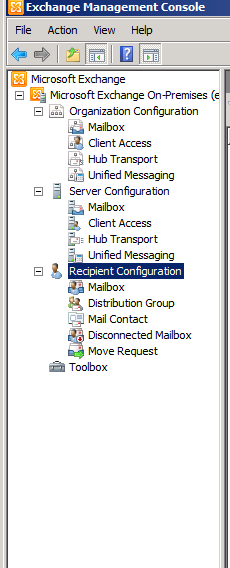
Open Exchange Management Console -> Recipient Configuration
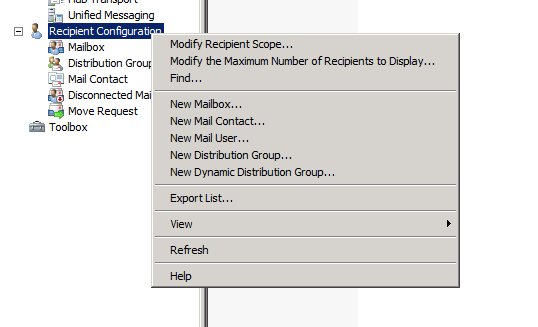
Right Click on the Recipient configuration and click on Modify the Maximum Number of Recipients to Display.
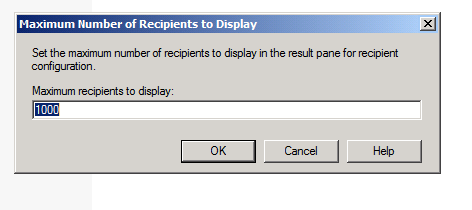
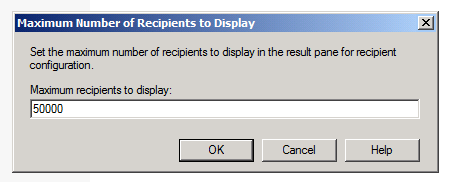
Type in a new maximum number.
Click Ok.
Related posts:
- Question: How To Change Exchange 2007 / 2010 OWA Language
- Question:How To Change The Mail Queue Settings On Exchange Server 2010
- Question:How To Add A New Accepted Domain To Exchange Server 2010
- Question:How To Create A New Exchange Server 2010 Certificate
- Question:How To Create And Apply A New ActiveSync Policy In Exchange Server 2010


