
Answer: In some cases there is a need to limit the connection time-out of OWA on Exchange server 2010 and 2007.
The main reason for something like this is most likely to tight the security policy of the origination.
To change the OWA connection time out we need to use the IIS manager on the CAS server that hosts OWA.
If you have multiple CAS servers that host OWA you will need to do that on each one of them.
Please follow the steps below to change the OWA connection time-out limit:
Open IIS 7 manager from administrative tools – > IIS
Click on the default website where OWA located and click on limits from the Action menu (left).
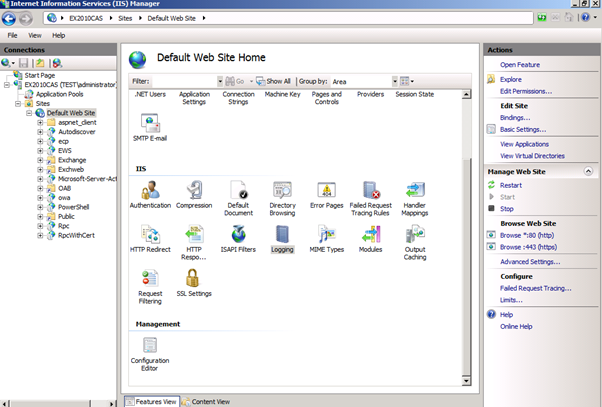
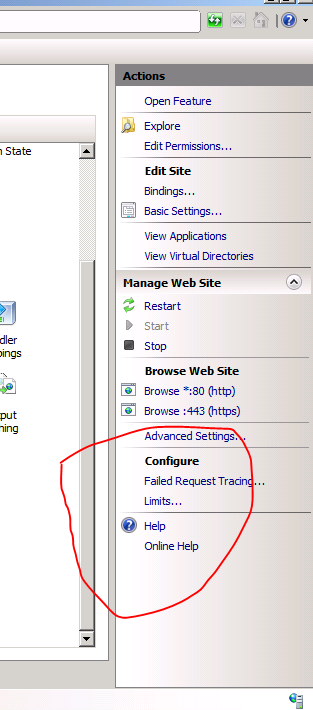
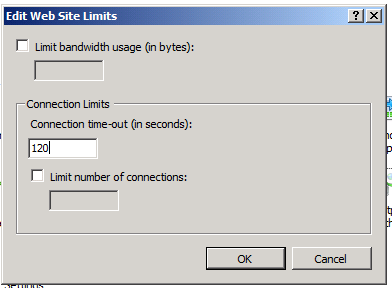
On the Web Site limits menu you can edit the Connection time-out limits.
You can also set limits on the bandwidth and the number of connections.
You can send us your feedback regarding this article to:
Articles at ntweekly dot com